Telling Technology · Learning in public
All episodes
EP.18 — SELF-AUDIT
How to audit your own AI usage

I fed 946 of my own prompts to six AI agents — they diagnosed my whole system

A year of how I actually use my AI operating system was already on disk — 946 prompts across 351 sessions, every project file, every CLAUDE.md. So I pointed six parallel, read-only research agents at all of it at once. Evidence first, no guessing. They found my exact pain points and handed back a five-pillar plan to rebuild — in my own words, from my own work.
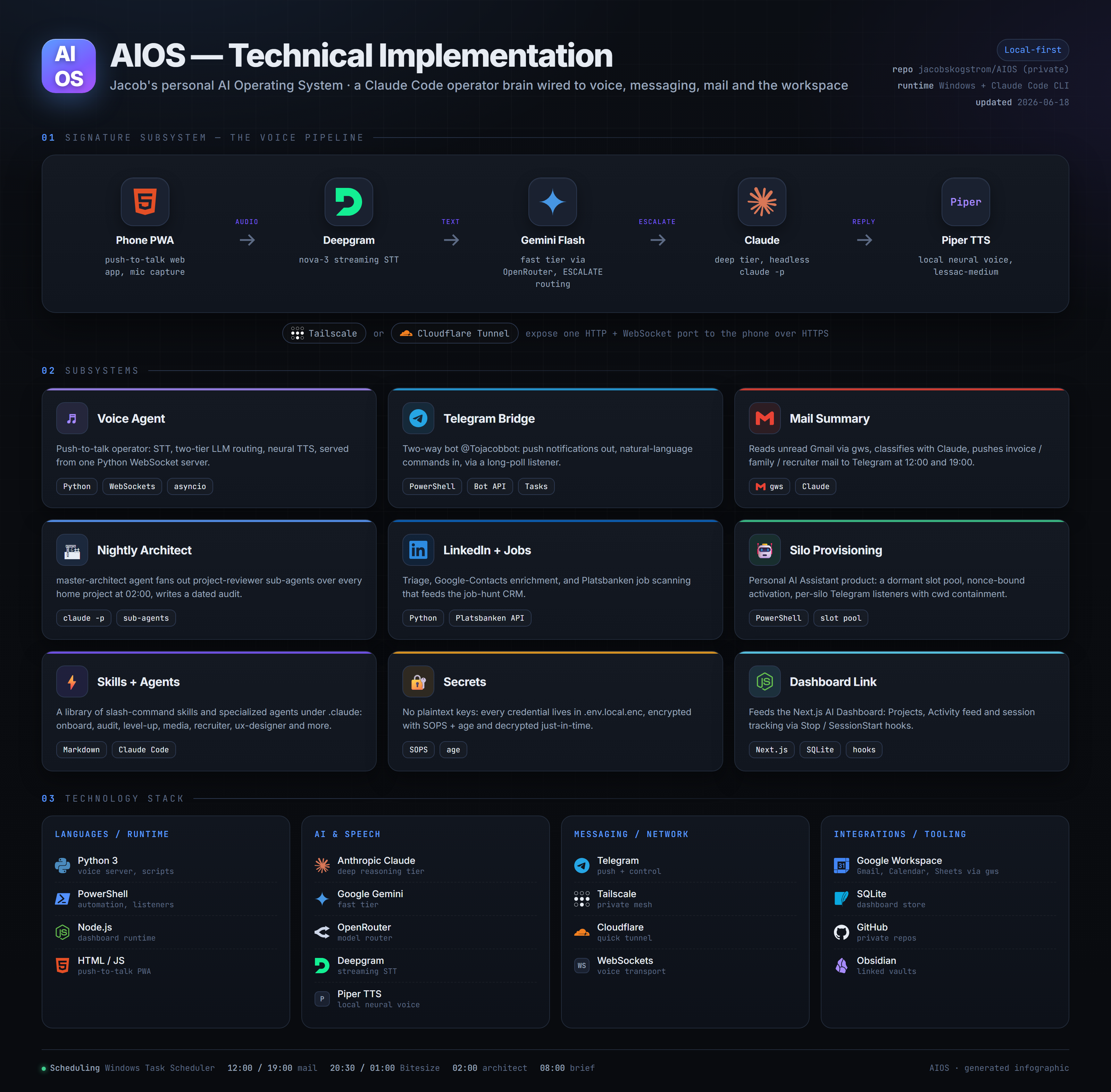
A one-screen technical infographic of AIOS — Jacob's personal AI operating system — showing the dashboard, voice AI, Telegram bot and Claude Code terminal wired together with real tool logos, house aurora-teal style
⌁ 6 agents · 946 prompts · 351 sessions → a 5-pillar plan
First: the evidence was already sitting on my machine
01 The setup · the evidence already existed

I didn't need a survey — a year of how I work was already on disk

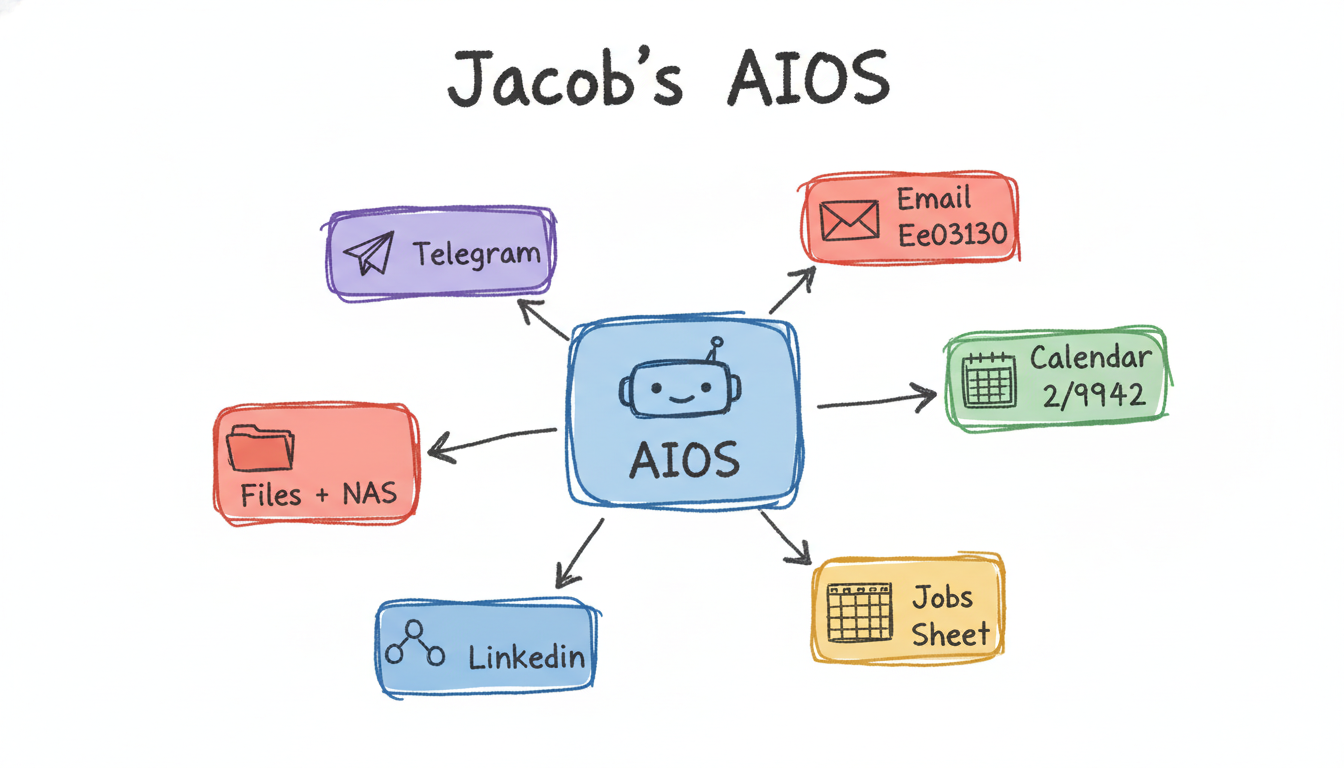
AIOS is my personal AI operating system: a dashboard, a voice assistant, a Telegram bot and a Claude Code terminal, wired together over months. The complete record of how it actually gets used is just sitting there — 946 prompts across 351 sessions, every project's files, every CLAUDE.md, the data stores, prior audits. The hard part of a redesign isn't collecting evidence. It's reading it honestly. Before changing anything, I wanted the data to tell me where it hurts — not my gut.

claude code — desktop
> before we change anything in AIOS, audit how i actually use it. read the real evidence — chat history, every project, the data files, the CLAUDE.md files — and tell me where it hurts. no guessing.
Agreed — design from evidence, not memory. The record's already on disk: 946 prompts across 351 sessions, plus every project file, data store and CLAUDE.md. I'll read it all read-only and report what the usage actually shows — not what we assume.
An overview map of AIOS showing its dashboard, voice, Telegram and terminal surfaces connected, the corpus of sessions the audit will read, house aurora-teal style
the corpus
AIOS · 351 sessions · 946 prompts already on disk
02 The method · six agents, read-only, at once

Six parallel agents swept everything at the same time — and none could touch a file

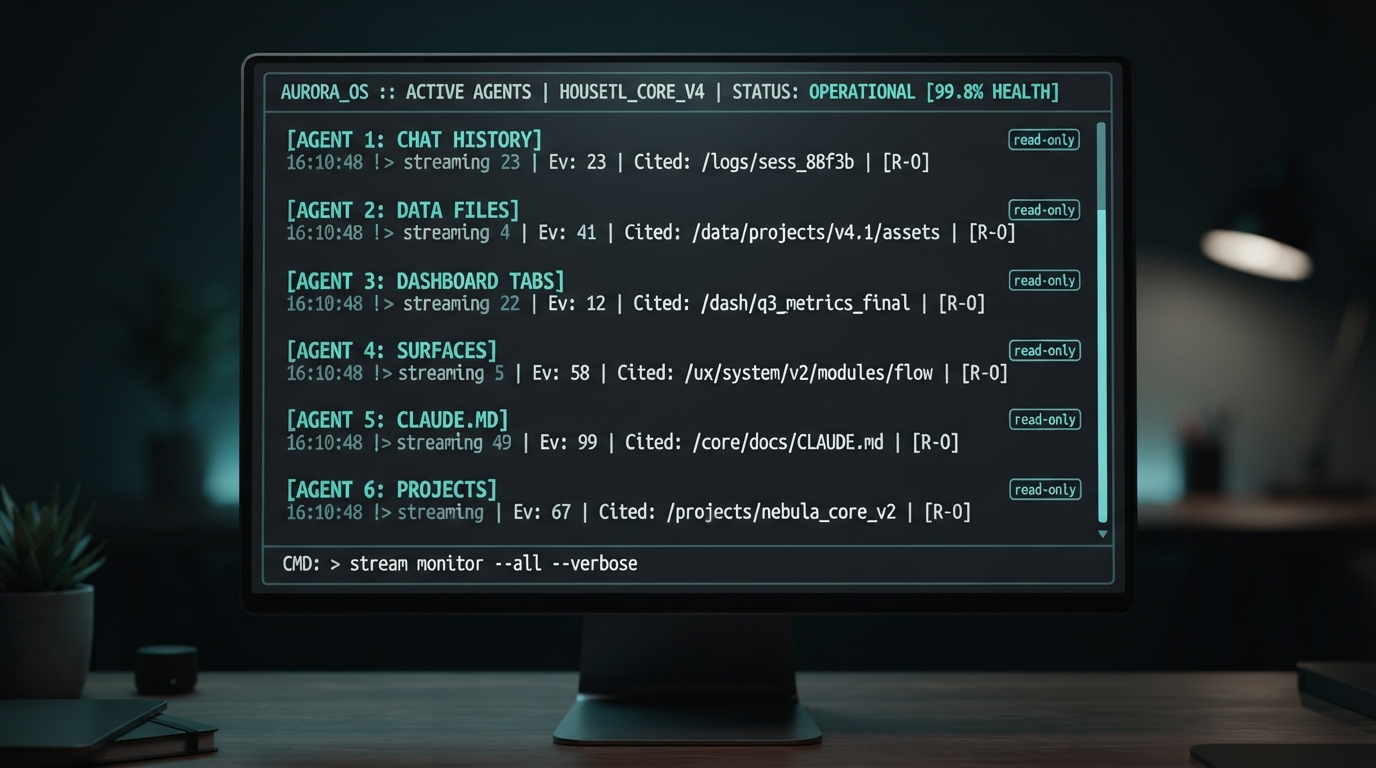
I split the audit into six read-only research agents and ran them in parallel: one on chat history, one on the data files, one on the dashboard's nine tabs, one on the four surfaces, one on the CLAUDE.md sprawl, one on the project inventory. Read-only on purpose — an audit that can edit is an audit you can't trust. Each agent reported evidence with counts and citations, not opinions. The replicable part: you can point the same fan-out at your own AI usage tonight.

claude code — desktop
> spin up 6 read-only agents in parallel — chat history, data files, dashboard tabs, surfaces, CLAUDE.md, projects. each returns findings with evidence counts and a citation to the file or session. no writes, no fixes.
Running 6 agents in parallel, read-only. Each cites its source — a session id, a file path, a line. Findings come back as counts, not vibes: how many prompts hit X, how many files duplicate Y. Synthesis once all six land.
A terminal showing six read-only research agents running in parallel — chat history, data files, dashboard tabs, surfaces, CLAUDE.md, projects — each streaming evidence counts, house aurora-teal style
6 agents · read-only
six research agents, in parallel, evidence-first
03 The findings · the data named the pain

The numbers were blunt: I capture everywhere, execute in one place, and can't find what I made

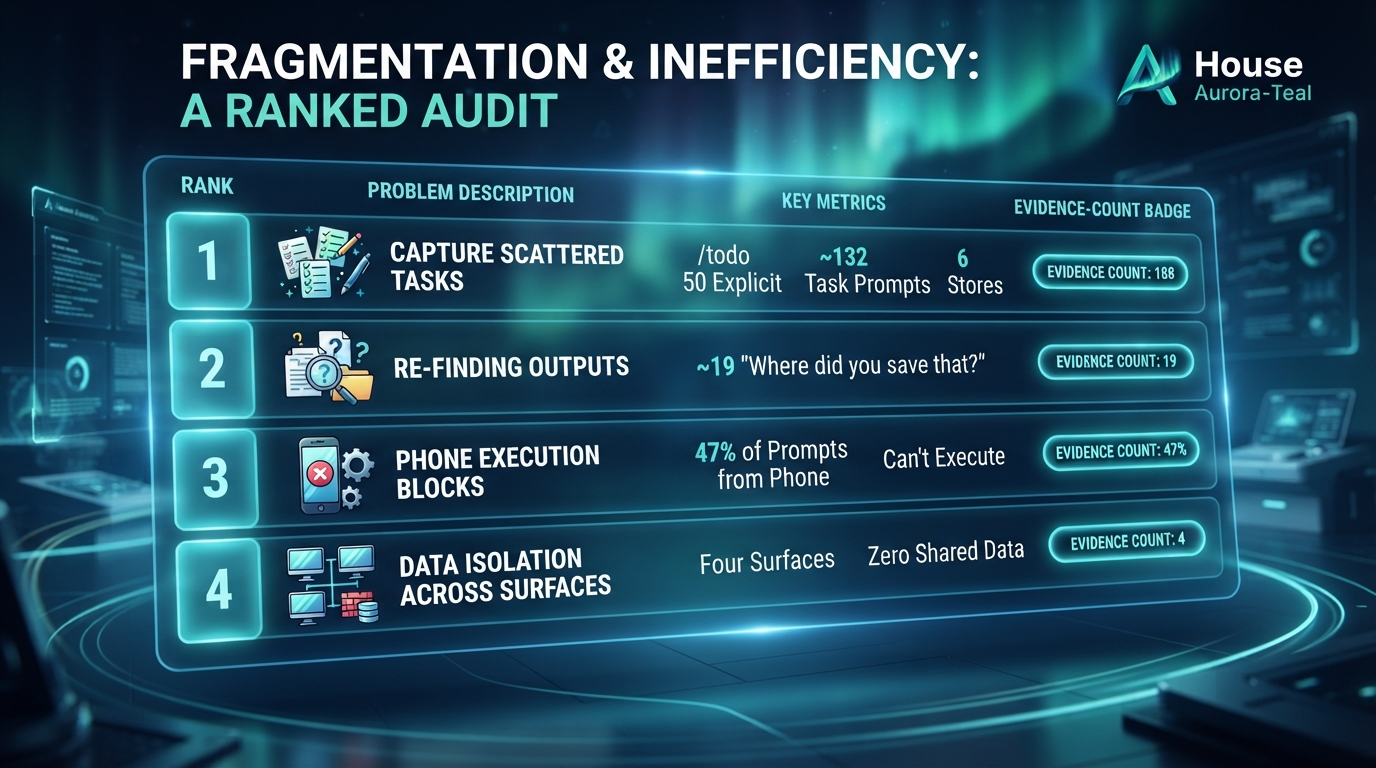
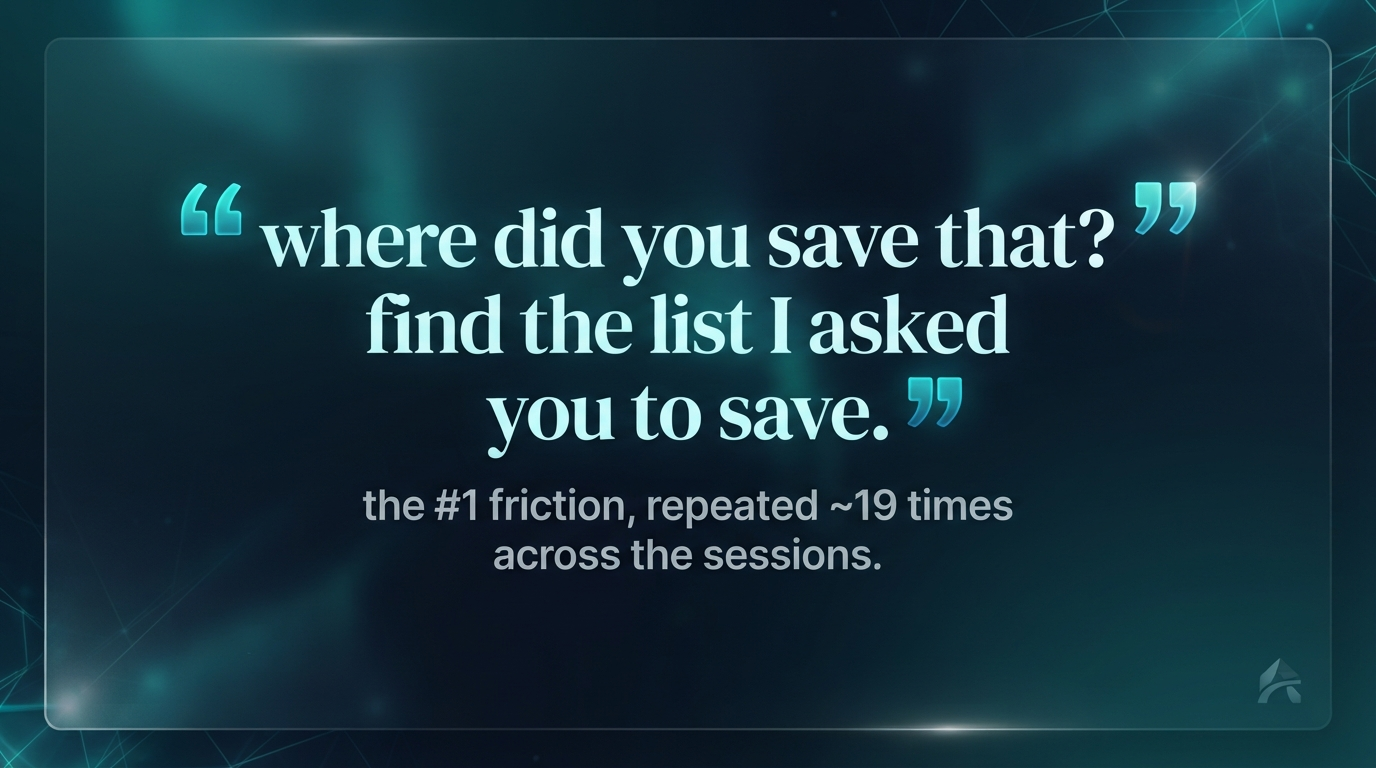
The agents agreed. Capture is my #1 verb — /todo is the single most-used command (50 explicit uses, ~132 task-management prompts) — but it's scattered across six places. The #1 friction is finding my own past outputs: ~19 prompts are literally "where did you save that?". And 47% of prompts (443 of 946) came from my phone — which can only capture, never execute. Four surfaces, four mental models, zero shared data. None of it was a guess; every line came with a count.

claude code — desktop
> synthesize all six. what are the top frictions, ranked, with the evidence behind each?
Top 3, by the numbers: (1) capture is #1 but scattered — /todo 50 explicit, ~132 task prompts across 6 stores; (2) #1 friction is re-finding outputs — ~19 "where did you save that?"; (3) 47% of prompts (443/946) from phone, which can't execute. Root cause: four surfaces, no shared data.
A ranked pain-points table — capture is scattered, finding past outputs, phone-can't-execute, four surfaces no shared data — each row carrying an evidence count, house aurora-teal style
top frictions
every pain point carries an evidence count
⚠️

The plan is a blueprint — not a finished rebuild

Being straight: the redesign is PLAN-02, status draft for review. Nothing has been implemented yet. This episode is the diagnosis and the plan, not a before/after — the build comes next, data layer first. The findings and counts are real, pulled from the actual sessions; the five pillars are the proposal they point to.

04 The receipts

The run, the frictions, the plan, and the one quote that sums it up

Four outputs from the audit: the six-agent run mid-sweep, the ranked pain-points table with evidence counts, the five-pillar redesign on one card, and the single recurring prompt that names the whole problem. Tap any image to enlarge it and read the exact prompt that drew it.

DIAGNOSED FROM MY OWN PROMPTS — PLAN IN REVIEW

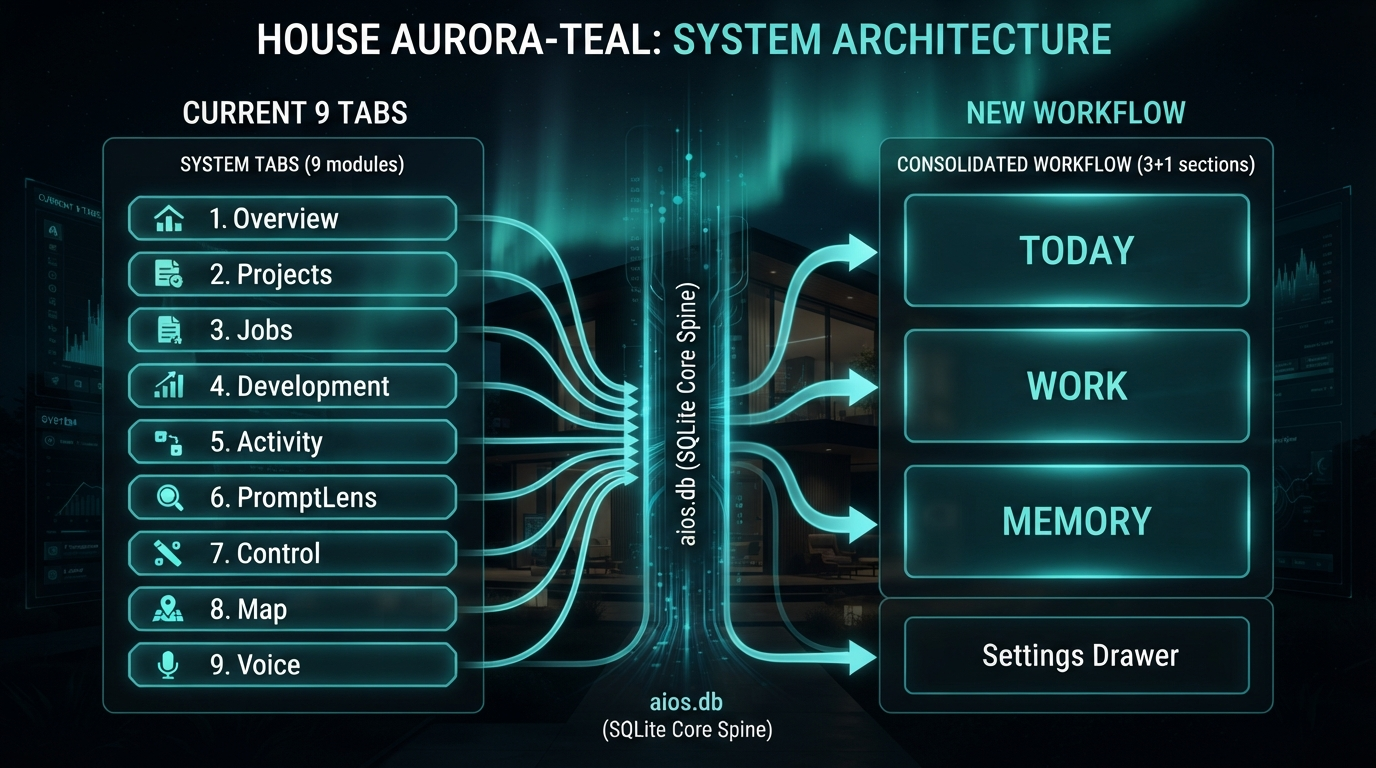
Nine tabs become three; six scattered stores become one spine

The plan the evidence points to: collapse the dashboard's nine tabs into three — Today / Work / Memory — on one shared SQLite spine every surface reads and writes, with lossless handover across phone, voice, terminal and dashboard. Not a rebuild. A targeted upgrade, sequenced data-first. The AI that runs the system read how it was actually used and drew the map.

A before/after information-architecture diagram — the current nine dashboard tabs on the left collapsing into three sections (Today, Work, Memory) plus a Settings drawer on the right, all feeding one shared SQLite data spine, house aurora-teal style
9 tabs → 3 sections · 6 capture stores → 1 SQLite spine · 4 surfaces → 1 shared data layer
06 Steal this

Audit your own AI usage

The six-agent fan-out prompt (read-only, evidence-first), the pain-points scoring rubric, the five-pillar plan template, and a demo that runs on synthetic sessions so you never expose your own history. Everything in this episode is free and open — clone it, run it, make it yours.

skill /self-audit prompt 6-agent fan-out template 5-pillar plan demo synthetic sessions
run it gh repo clone jacobskogstrom/ai-self-audit ~/ai-self-audit && cd ~/ai-self-audit && cat README.md

No GitHub? Comment AUDIT on the post and the bot DMs you the link.

Next episode

Pillar 4 first: one SQLite spine the whole system shares

The plan says build data before UI. Next: I stand up aios.db and an aios data CLI, then migrate one list at a time from markdown tables to a store every surface can read and write — starting with the thing I use most, /todo. The redesign stops being a doc and starts being plumbing.

Darkened teaser — the AIOS surfaces about to be re-wired onto one shared data spine, house aurora-teal style
drops next · follow @tellingtechnology so you don't miss it