Telling Technology · Learning in public
EP.05 · THE GLOBE
claude.ai/design, start to finish

I gave an AI one sentence.
It built a planet.

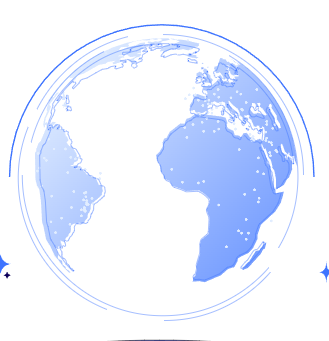
A rotating, futuristic Earth for the Bitesize AI brand — designed in a single chat. Here's every prompt I typed, the palette it guessed from a screenshot, the bugs a second AI caught, and the live globe you can drag to spin.

⌁ live · drag to spin it
It started with one paragraph ↓
01 The one prompt

One sentence in. A whole world back.

I opened claude.ai/design and typed a single description — no design files, no references, just words. It asked me six quick questions, picked a real geographic projection, and started drawing continents. Everything you see came from that one paragraph.

claude.ai/design — chat
> Create a globe of the world rotating, Show digital activity on the land parts of the globe at the same time as the globe is rotating slowly around its own axle just like Earth. The theme should be very futuristic and the color scheme should be according to the bite size AI colors in bite size AI project folder inside the home folder
Tried to open the brand folder first, then asked six questions to lock the look — landmasses, activity, background, interactivity, format, speed — and chose a d3-geo orthographic projection so the continents are the real Earth, not a texture.
Six questions · my answers
LandmassesSolid dark, glowing edges
ActivityPulsing dots at cities
BackgroundGlowing atmospheric halo
InteractivityAuto-rotate + drag to spin
Format"Decide for me"
Speed45s per turn
02 The palette it guessed

It couldn't see my brand — so it sampled it.

My prompt said to use "the Bite Size AI colors in the project folder." But the design tool runs in the cloud — it can't reach a folder on my machine. So it did something smarter: it pulled the colors straight out of a screenshot I'd uploaded, landed on a blue, and the moment I said two words — "calm lagoon" — it recolored the entire globe to teal.

claude.ai/design — chat
> Color assets C:/Jacob/Claude code/home/Bitesize AI/showcase/assets/
> calm lagoon
Can't reach a C:/… path from the cloud — but you uploaded a screenshot. Sampled it: a royal-blue family, #4D7CFF. On your "calm lagoon" steer, recolored to teal — #0B7D74 / #5FC7BA — coastlines, halo and rim light all shifted in one pass.
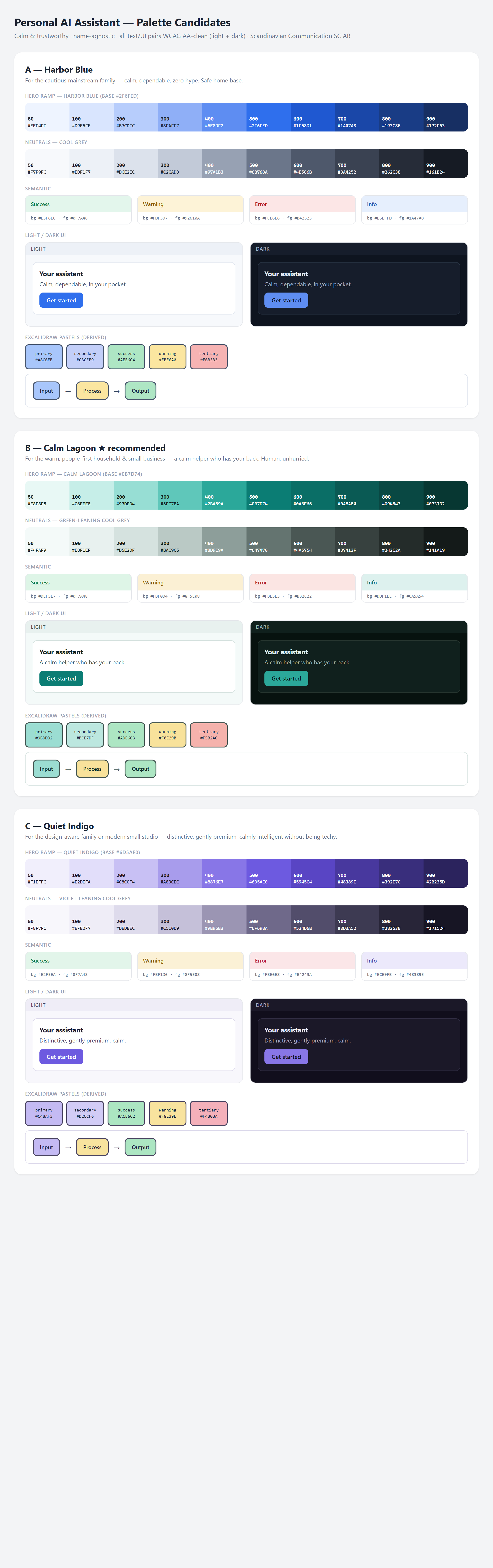
The Calm Lagoon palette candidates the tool sampled
the palette it read
…lifted from a screenshot, not a colour code.
#4D7CFFfirst guess (blue)
#0B7D74 / #5FC7BA"calm lagoon" (shipped)
#0EA5A6 / #2ee6d6exact brand teal (director's cut)
03 The honest part

It broke four times — and fixed itself.

I'm showing you the messy middle on purpose. The first render was blank. The preview wouldn't animate. The loader wouldn't clear. Then a second AI — a verifier agent — caught a bug the first one missed: if the window reported a zero size on load, the globe could get stuck blank forever.

claude.ai/design — chat
> Verifier agent check completed
The verifier found a real race condition: a 0×0 viewport at init would size the canvas to nothing and never recover. Made sizing self-healing — it retries until the viewport is real, plus a ResizeObserver and a per-frame size check.
Four bugs → four fixes
1globe.js wouldn't load → nothing rendered rewrote & re-established the file
2rAF paused off-screen → no animation in preview added a watchdog ticker
3loader wouldn't clear → "Initializing…" stuck on hid it directly
40×0 race condition → could stay blank forever self-healing resize
⚠️

Why I left the bugs in

The bugs are the lesson. A tool that one-shots a flawless globe teaches you nothing; one that stumbles, gets caught by another agent, and heals itself shows you the real shape of building with AI — you stay in the loop, the agents do the work. That 0×0 race is exactly the kind of bug that ships silently in hand-written code.

04 The receipts

Every prompt, in my own words

No paraphrasing here — these are the actual messages I sent, and the images the tool worked from. Tap any image to enlarge it and read the exact prompt.

RUNNING LIVE ON THIS PAGE

Drag it. It spins.

The finished globe, embedded live — real continents, 48 pulsing city nodes, an atmospheric halo, and an Earth-slow 45-second turn. Grab it and throw it; it carries the spin, then settles back on its own.

claude.ai/design → d3-geo + Canvas 2D · world-atlas continents · ~45s / turn · drag to spin · Calm Lagoon teal
06 Steal this

Steal the globe

Two files, zero build step. Open the HTML and it pulls real-world map data and renders — drag to spin, drop it on any dark hero. Free and open; make it yours.

file index.html file globe.js deps d3 · topojson · world-atlas (CDN) licence yours to remix
run it start "" index.html # opens straight from disk — it fetches the map itself

No GitHub? Comment GLOBE on the post and the bot DMs you the two files.

Next drop

Next: I put my world on it.

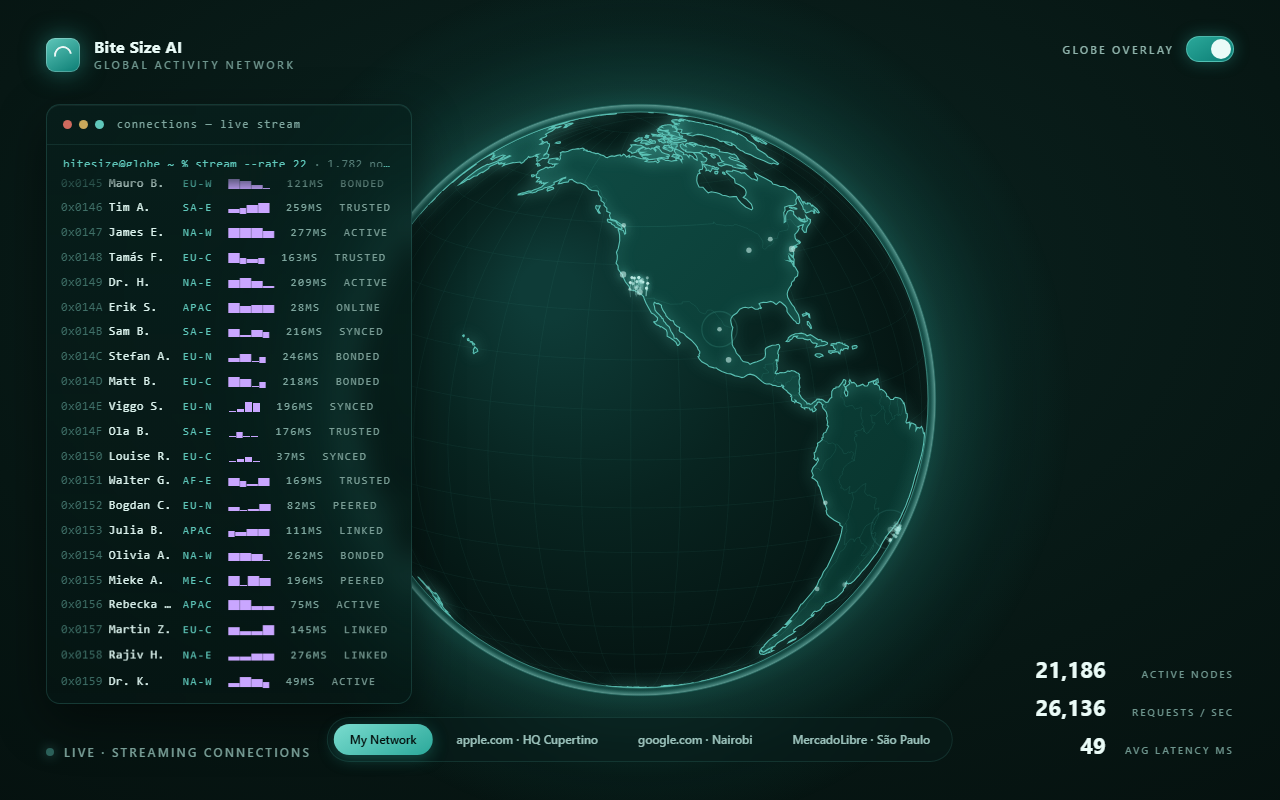
This planet wasn't a one-off. Next drop, my 1,782 LinkedIn contacts land on it as a living visual layer — thin pins, a terminal streaming 50 names a second, real packet routes — making it my world. One toggle flips it all back off.

The globe carrying a network overlay — teaser for the next drop
Ep.06 drops next · follow @bitesizeai so you don't miss it